How to use Business Days
Set dates in business days in your monday.com automations. Weekends, public holidays and your company's days off are skipped. 日本語はこちら
Before you start
- A board with at least one Date column for the result (for example "Due").
- To count from another date, a second Date column (for example "Kickoff").
- An account admin, for the one-time settings in step 1.
1. Choose your calendar (once per account)
- Open Apps (the grid icon) → Manage → Business Days → the Settings tab.
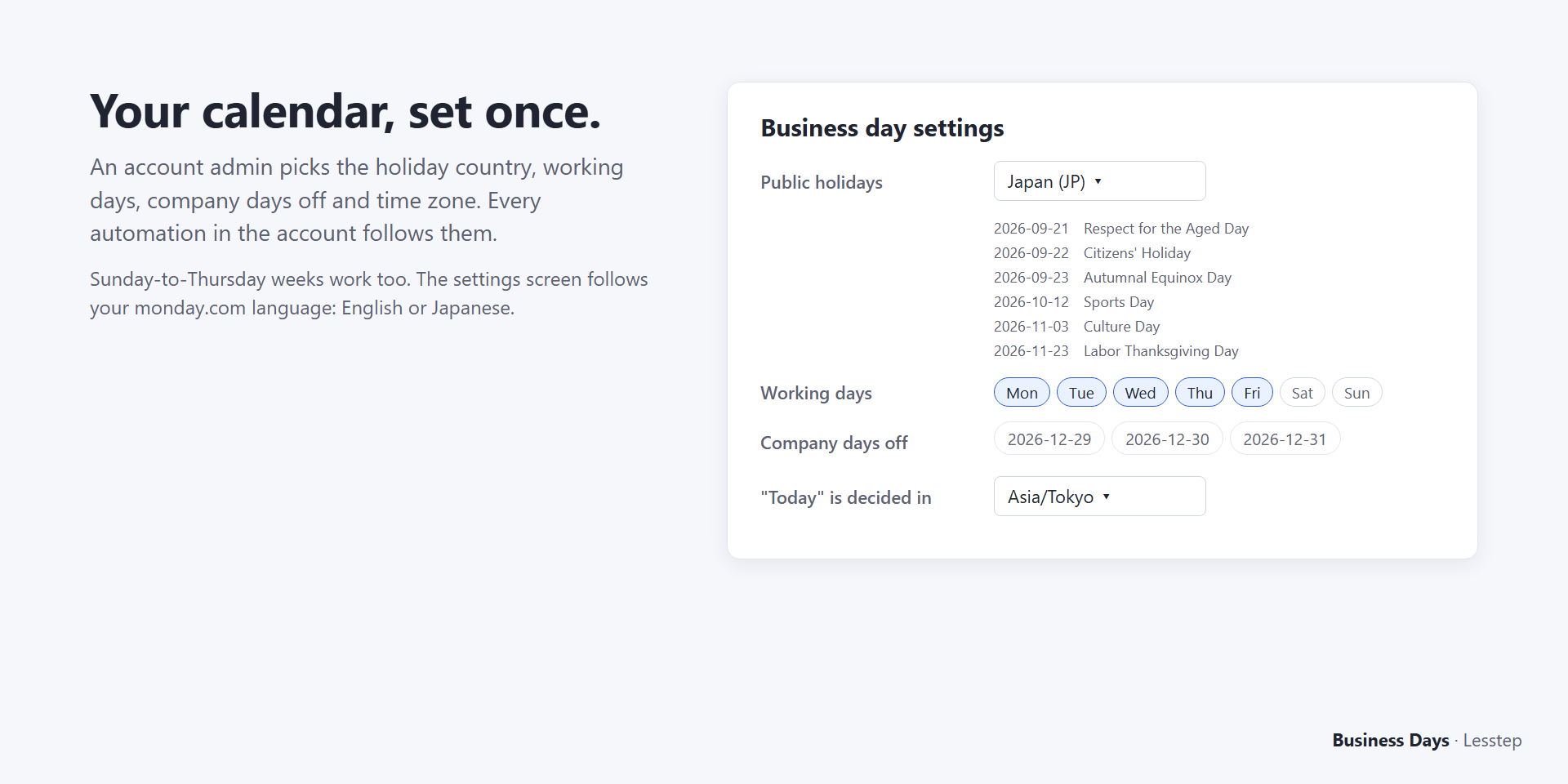
- Pick the country whose public holidays count as days off. Holidays for about 200 countries are built in, including substitute holidays such as Japan's.
- Check your working days (Monday to Friday by default) and add company days off, such as a year-end shutdown.
- Click Save. Every automation in the account now uses this calendar.
2. Add an automation
- On your board, open Automate → Create automation.
- Pick a trigger, for example When column changes or When status changes to something.
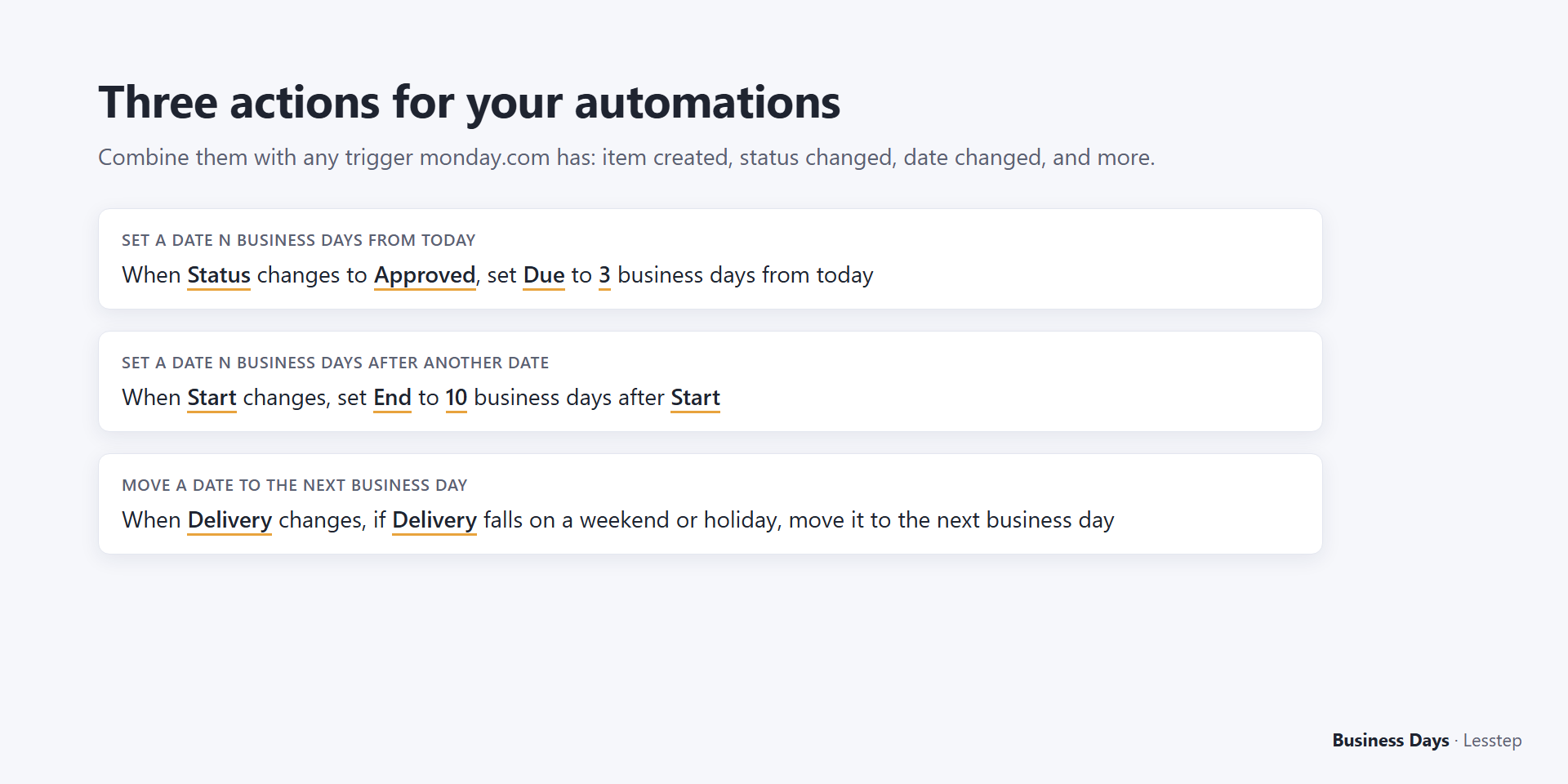
- For the action, type business and pick one of the three Business Days actions:
- Set a date N business days from today — "When Status changes to Approved, set Due to 3 business days from today".
- Set a date N business days after another date — "When Kickoff changes, set Due to 10 business days after Kickoff". Use a negative number to count backwards.
- Move a date to the next business day — "When Delivery changes, if Delivery falls on a weekend or holiday, move it to the next business day".
Fill in the underlined parts of the sentence (the columns and the number of days) and click Create automation.
3. Check the result
Change the trigger column on an item. Within a few seconds the date column shows the computed date. Example with Japan's holidays: Kickoff Fri, Oct 9, 2026 + 2 business days = Wed, Oct 14 (the weekend and Sports Day on Mon, Oct 12 are skipped).
Plans
| Plan | Dates per month |
|---|---|
| Free | 50 |
| Starter | 500 |
| Team | 2,500 |
| Business | 15,000 |
A date counts only when the App writes one. One price covers the whole account, not per seat. Upgrade under Apps → Manage → Business Days.
Troubleshooting
- Nothing happened. Open Automate → Run history. The App's message explains what is missing.
- "Monthly limit reached". The account used its plan's dates for this month. Upgrade, or wait until next month.
- The start date is empty. The App skips the item and writes nothing.
- "Today" looks one day off. Set the time zone in the settings. By default it follows the holiday country.
Questions: support@lesstep.com (we usually reply within two business days).
日本語
monday.com の自動化で、土日・祝日・会社の休業日を飛ばして日付を設定します。
- 最初に1回(管理者):アプリ(格子のアイコン)→ 管理 → Business Days →「設定」タブで、祝日の国(日本)・稼働日・会社の休業日を選んで保存します。振替休日にも対応しています。
- 自動化を作る:ボードの「自動化」→「自動化の作成」で、トリガー(例:列が変わったとき)を選び、アクションの検索欄に business と入力して、3つのうち1つを選びます。
- 今日から N 営業日後の日付を入れる
- 別の日付列から N 営業日後(マイナスなら前)の日付を入れる
- 日付が土日・祝日なら次の営業日へ動かす
- 確かめる:トリガーの列を変えると、数秒で日付が入ります。例:2026年10月9日(金)の2営業日後は、土日と10月12日(月・スポーツの日)を飛ばして10月14日(水)。
料金:無料は月50件まで。Starter 500件・Team 2,500件・Business 15,000件/月。アカウント単位の料金で、人数では増えません。
お問い合わせ:support@lesstep.com(通常2営業日以内に返信します)